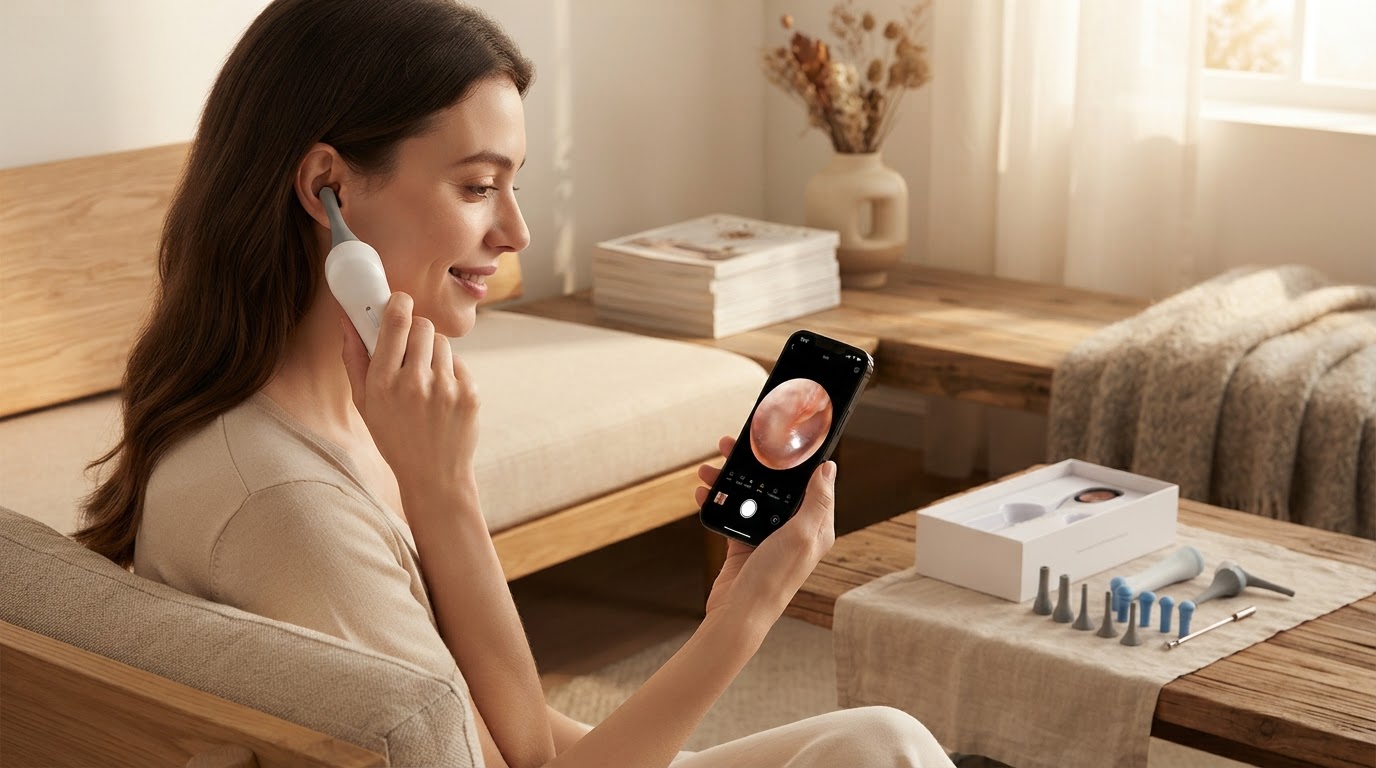
Configuring the Smart Ear Camera Wireless App Interface
 Priya RamanSenior Analyst
September 25, 2026 — The shift toward digitized self-care reaches a new milestone as the Smart Ear Camera ecosystem integrates high-definition video streaming into consumer-facing mobile applications. This transition from basic tools to sophisticated visual monitoring allows for precise observation of the ear canal, bridging the gap between professional diagnostic equipment and home maintenance.
Modern ear hygiene relies on a synergy between hardware optics and software stability. According to HND - Apps on Google Play, these wireless ear camera interfaces facilitate real-time viewing while providing users the capability to capture specific details or record video sessions for later review. Understanding the relationship between the hardware's local Wi-Fi signal and the mobile processing power is essential for a lag-free experience. Think of it as a matrix of signal strength, optical resolution, and latency management that defines the safety of the procedure.
The Triple-Sync Protocol
To achieve optimal performance with the Smart Ear Camera, users must navigate the Triple-Sync Protocol: localized network pairing, optical calibration, and storage permissioning. Two axes matter here: the stability of the direct P2P (Peer-to-Peer) connection and the rendering speed of the 1080P HD stream. Once you see it this way, the setup becomes a technical handshake rather than a simple software installation. The process begins by activating the device to broadcast its own internal Wi-Fi signal, which the smartphone must prioritize over standard home networks to ensure a dedicated bandwidth for the video feed. This prevents the frame-dropping often associated with lower-quality wireless ear endoscopes for iPhone.
Data integrity is managed through the application layer, which processes the 1080P HD signal to provide a clear view of the tympanic membrane and surrounding canal walls. For those seeking the best ear endoscope for home use, the software's ability to mirror the image—allowing for intuitive movement regardless of which ear is being cleaned—is a critical safety feature. Using Smart Ear Camera for safe [visual ear wax removal](/blog/using-smart-ear-camera-visual-ear-wax-removal) requires this spatial orientation to be perfectly synced with the physical movements of the user's hand. If the latency exceeds 100 milliseconds, the risk of accidental contact increases, making the app's internal optimization just as important as the camera's lens quality. This high-fidelity stream is what differentiates a professional-grade visual ear picker from generic alternatives that may suffer from pixelation during rapid movement.
Expert tip: Always disable "Auto-Join" on known high-speed internet networks in your settings before beginning a session. This prevents your phone from dropping the Smart Ear Camera signal in favor of a standard internet connection, ensuring the 1080P HD video feed remains uninterrupted during delicate maneuvers.
The decision rule: if the app interface shows a battery level below 20% or signal bars fluctuating, postpone the cleaning session to maintain visual consistency. Proper synchronization ensures that the wireless ear endoscope functions as intended, providing a safe and controlled environment for ear hygiene.
Sources
- HND - Apps on Google Play
- Bebird - Apps on Google Play
- NE3 Ear Cleaner with wireless camera ! Check out my new review