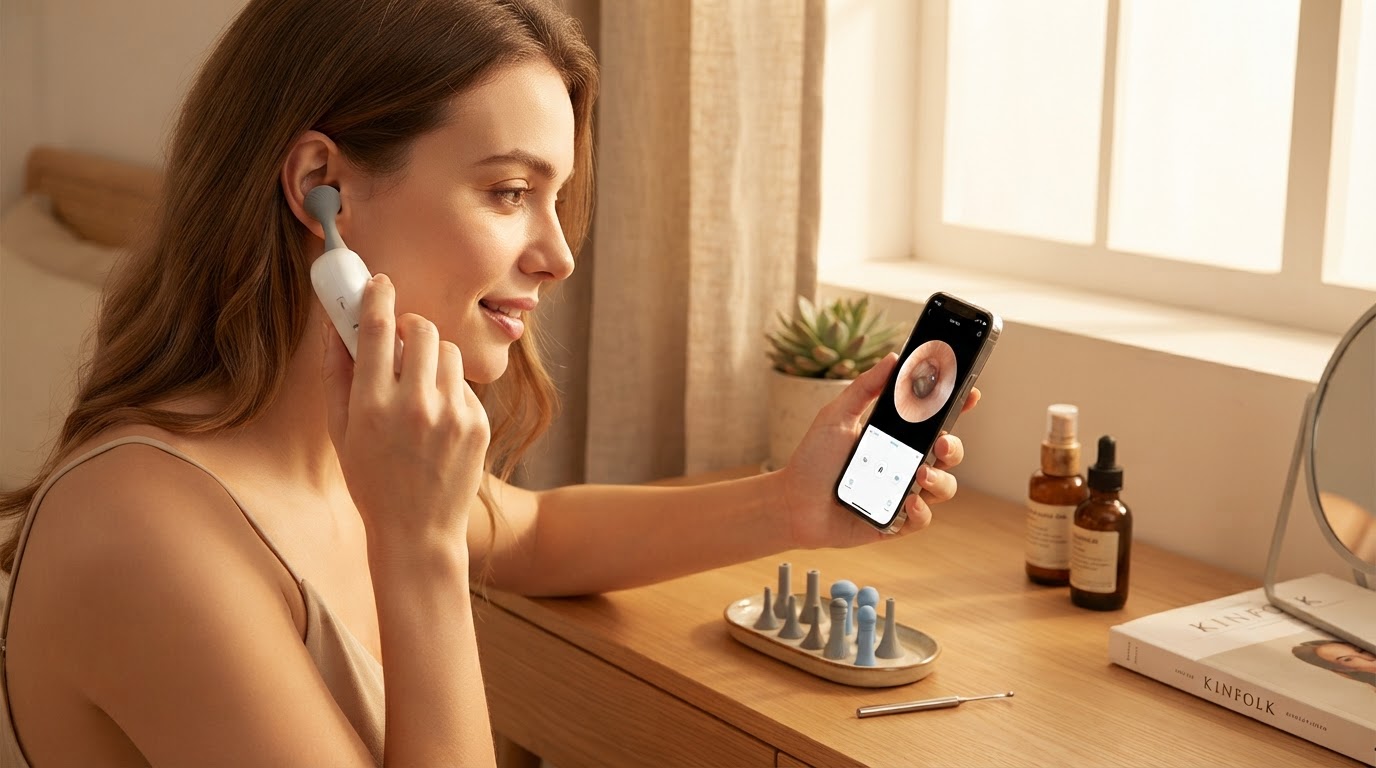
How do I use a wireless ear cleaning camera app?
 Sam VasquezBuying Guide Lead
September 20, 2026 — Operating a wireless ear cleaning camera app requires establishing a point-to-point Wi-Fi connection between your smartphone and the hardware device to stream a high-definition video feed of the ear canal.
Consumers looking for a visual ear picker often find the transition from traditional cotton swabs to digital tools intimidating due to the technical setup involved. Understanding how these apps interface with hardware is essential for maintaining safety and ensuring the 1080P HD camera provides a clear view of the tympanic membrane without lag.
Which app should I use for a Smart Ear Camera?
Selecting the correct application depends entirely on the hardware chipset of your device, as most wireless ear endoscopes use proprietary Wi-Fi signals rather than standard Bluetooth. If you are using a standard Smart Ear Camera or a similar visual ear picker, you will likely encounter apps such as Bebird or HND on the Google Play Store or Apple App Store. For instance, the Bebird app requires a Wi-Fi connection to link the ear-picking device to the mobile phone, according to documentation on Google Play.
Between these two, I’d go with the HND app if your hardware supports it, as it is specifically designed to help users view ear details and record footage for later review. If you're on a budget, many generic otoscopes utilize the HND interface because it is lightweight and functional. However, you should check the rating and user feedback; as of late 2025, both Bebird and HND held ratings of approximately 2.9 stars, reflecting common user frustrations with Wi-Fi stability. If you want a more streamlined experience, ensure your device is compatible with the latest digital otoscope for smartphone firmware updates.
How do I connect the camera to my phone safely?
The connection process involves turning on the Smart Ear Camera to broadcast a local Wi-Fi hotspot, which your phone must join to receive the video stream. Skip this if you are uncomfortable disconnecting your phone from your home internet temporarily, as these devices do not typically support simultaneous internet access and camera streaming. Once the connection is established, the app displays a 1080P HD feed, which is critical for depth perception. Reviewers of the NE3 Ear Cleaner on YouTube have noted that this visual feedback is a smart way to keep ears clean without the risks associated with blind swabbing.
Here’s what I’d actually buy: a device that supports a high-frame-rate app to minimize latency. When you move the tool inside your ear, any delay in the video feed can lead to accidental contact with the eardrum. Safety is paramount, so I recommend testing the app's lag in an open space before inserting the tool into your ear canal. For specific instructions on iOS devices, refer to the wireless ear endoscope for iPhone setup steps. Proper Smart Ear Camera Integration for Mobile Otoscopy ensures that the image remains stable even when the tool is rotated.
Quick answers
Q: Why is my ear camera app showing a black screen? A: This usually occurs when the smartphone has not successfully joined the device’s internal Wi-Fi network or if the app lacks "Local Network" permissions in your phone's privacy settings. Ensure the device is fully charged, as low battery can disable the Wi-Fi transmitter.
Q: Is the video quality actually 1080P HD? A: Most modern devices, including the wireless pen-shaped otoscopes reviewed on YouTube, claim 1080P resolution, though the actual clarity depends on the lens cleanliness and the app's compression settings. Regular cleaning of the tiny camera lens with 75% isopropyl alcohol is necessary to maintain this quality.
Q: Can I save photos and videos of my ear canal? A: Yes, apps like HND and Bebird include capture and record functions that save files directly to your smartphone's gallery. This is particularly useful for tracking the progress of ear wax removal or sharing images with a healthcare professional if you notice redness or inflammation.
Learn more about Smart Ear Camera at https://smartearcamera.com.
Sources
- HND - Apps on Google Play
- Bebird - Apps on Google Play
- NE3 Ear Cleaner with wireless camera ! Check out my new review